Pages

Showing posts with label Android. Show all posts

Android and worries

Image courtesy: Google Gemini
Almost everyone uses smartphones today. They help with communication, business, banking, and daily tasks, making life easier. But they also bring new problems.

How smartphones work differently from Computers

Smartphones aren’t built like computers. Computers let you upgrade parts or replace them if they break. But in phones, everything is packed into a single chip. Phone makers add special software (like drivers) to connect the hardware to the Android system and make it look good.

Drawbacks of Android phones

Android is the most used phone system worldwide, powering 70% of phones. It was created by a group of companies, with Google playing a big role. Unlike computers, most people can’t easily change their phone’s operating system.

Many phones come with bloatware—unwanted apps that track users, show ads, or can’t be easily removed. These slow down phones and invade privacy. Only a few brands, like Google Pixel and Nothing Phone, offer a clean Android without bloatware.

Short Lifespan of Phones

Phones need updates to stay secure and work properly, but most companies stop updates after just two years. When updates end, apps (especially banking apps) stop working, forcing people to buy new phones. This creates more electronic waste. Nothing Phone does better by offering 3 years of major updates and 4 years of security updates.

Can Custom Software Help?

When manufacturers stop supporting a phone, custom ROMs (modified Android versions) can keep it running longer. However, phone makers make it hard to install these, and some banking apps won’t work on them.

Are There Better Alternatives?

Some groups are working on privacy-focused, non-commercial phone systems based on Linux (like Debian). These systems, such as Mobian, offer basic features like calls, contacts, and maps. But they have fewer apps than Android and only work well on certain phones.

The Bigger Challenge

For Linux-based phones to succeed, more manufacturers need to support them. Google once tried a modular phone project (Ara) but gave up. Right now, Android dominates, leaving users with limited choices.

Buy old phones at low prices and upgrade to the latest Android

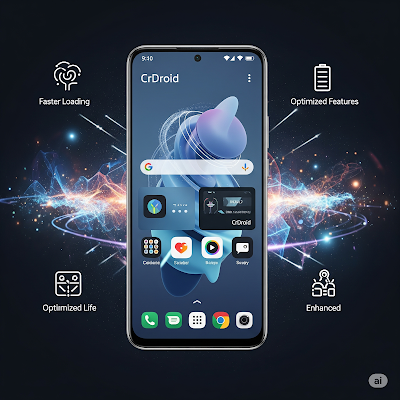
Image courtesy: Google Gemini
When a new phone comes out, it’s usually costly. But after some time, the price drops, especially when newer models arrive and companies compete for customers. If you buy a phone at its high launch price, you might later feel like you overpaid. Companies sell phones for much more than it costs to make them. For example, Apple spends about ₹41,000 to make an iPhone 16 Pro Max but sells it for ₹1,44,900 in India. 

Why do phone prices drop? 

 - New technology: As tech improves, older phones lose value. 
 - Better specs: Faster processors, better cameras, more RAM, and 5G support make people want the latest models. 
 - Basic needs: Most people don’t need a high-end phone just for calls, social media, banking, or photos. Even a powerful phone is rarely used to its full potential—most people only need about 40% of its features. 

A smarter way to buy phones

If you don’t want to spend a lot, consider buying an older model. Premium phones from a year or two ago are much cheaper online. You can check prices on sites like 91mobiles and read reviews before buying. Using a credit card might get you an extra 5-10% discount, and you could save up to 60% compared to the original price. 

What about software updates?

Older phones (especially those 2+ years old) may stop getting Android updates. But you can still keep them up-to-date by installing a custom ROM – a modified version of Android made by developers. 

How custom ROMs work

- Phone companies release Android’s source code so developers can create custom ROMs. 
- Sites like CrDroid and LineageOS list phones that support custom ROMs.
- A tech-savvy friend or local repair shop can help install one.
- Benefits: Better performance, longer battery life, no bloatware, and the latest Android version (like Android 15 or even 16 soon). 

Best phones for custom ROMs

Brands like Redmi and Poco often support custom ROMs. For example: - The Poco X3 Pro was ₹20,000 at launch but now sells for around ₹10,000. - You can install CrDroid (Android 15) on it and use it for years.

Final thought

Before buying a new expensive phone, ask yourself: Do I really need it? An older phone with a custom ROM can save you money and work just as well for daily use. Before buying a new expensive phone, ask yourself: Do I really need it? An older phone with a custom ROM can save you money and work just as well for daily use.

Check SMS on computer: pair Android phone with PC

It's an excellent idea to pair your Android phone with a personal computer and manage SMS fast and easily. Managing SMS and messages on a big computer screen is convenient for individuals and institutions to check the updates frequently. Here are the steps to pair an Android phone with a PC.

1. Make sure that your messaging app is Messages by Google. Otherwise, install the Google Messaging app from the Play Store and make it default.

2. Open the browser on the computer and load the URL https://messages.google.com/web . Where we can see the QR Code.

3. Open the Google Messages app and click on More options. Select the option Device Pairing. Click on the QR code scanner button.

4. Scan the QR Code on the browser using the mobile. The messages interface will load on the browser.


Reference

Check your messages on your computer or Android tablet
https://support.google.com/messages/answer/7611075?hl=en

Want to experience pure Android?

Mobile vendors not regularly update Android mobile operating systems. Make available a new version of Android for mobiles will take too much time. Therefore mobile users are not able to experience the features of the latest Android version and security updates. Mobile vendors do not release updates for the old devices, and they concentrate on releasing new models. 

AOSP (Android Open Source Project) regularly release updates and new versions. But users are not lucky to receive the latest releases of Android new versions on old devices. Android Project introduced Project Treble to speed up the distribution of new releases. Android Project releases new versions, and the mobile phone vendors make changes to suitable for the hardware. This process requires too much workforce, and frequent updates from vendors are not possible. With the introduction of Project Treble, users can install Android latest version on their devices. Project Treble Android image can install on compatible mobile hardware same like installing an Ubuntu Linux on any computer. All mobile phones preloaded with Android Oreo (Android 8.0) at the time of purchasing is suitable for the Treble project. It means that the mobile user can download and install a Project Treble image of the Android operating system. The mobile users can check the Treble compatibility using the following app; they can be download from Google Play Store.

Users can find various generic system image (GSI) suitable to install on Treble supported mobile devices irrespective of hardware type. Android GSI images are appropriate to fit in any Treble supported mobile phones. 

Lot of Android custom ROMs in GSI format. One of the leading GSI AOSP project by phhusson. He regularly releases GSI images of the latest versions of Android operating systems. GSI images by Phhusson are unmodified Android; users can experience pure Android experience. It does not contain any customisations and beautifications usually available with stock Android available with new mobiles. For example, Xiaomi mobile company customise the ROM and add beautifications and other changes. They also add apps not desired by the users (bloatware). It makes the vendor ROM heavy and noisy. GSI image of phhusson contain an only base version of Android, and users can add required apps later. AOSP GSI images are run smooth and provide good battery life.

Users can find GSI images of other custom ROMS. Lineage OS, Arrow OS, Havoc OS, CrDroid, AospExtended etc. are the popular custom ROMs. Most of the GSI images of custom ROMs build on phhusson project. Here is the list of custom ROMs based on phhusson.
https://github.com/phhusson/treble_experimentations/wiki/Generic-System-Image-%28GSI%29-list

Here is a detailed article on how to install a GSI image on a mobile a Treble supported phone.

Android Treble project

Android Treble project gives hope for custom ROM developers and users by offering Generic System Image (GSI) images for mobile devices. Same like Ubuntu Linux suitable for computers by different manufacturers. No need to develop device-specific ROMs and decentralised efforts. Development of device-specific custom ROM takes too much time. User can free from shitty preloaded stock ROM. Here are the general steps to install GSI images on your Android phone,

1. Check the phone, whether it's treble compatible or not. Install Treble Check app from Play Store and check.
2. Unlock bootloader of your phone.
3. Install TWRP custom recovery.
4. Download desired GSI image (e.g. https://sourceforge.net/projects/developerluke-roms/files/GSIs/)
5. Install GSI image, GAPPS and Magisk (optional).
Here are the screenshots of Resurrection Remix ROM on my Realme 5 phone using GSI image.

GSI images developed by phhusson
Project Treble page at XDA Developers,
GSI images developed by Developer Luke,

Enable regional languages on Gboard

Gboard is a keyboard app developed for Android apps. It supports both typing and handwriting mode. Users can enable both English and Indian languages handwriting on Gboard. Gboard available default with latest versions of Android (e.g. Pie). Otherwise, users can install Gboard and make it the default keyboard. Here are the steps to install Gboard and enable regional languages in India (handwriting mode).

Install Gboard from Android PlayStore.

Install ADB and Fastboot on Ubuntu

Fastboot is a tool that can be used to re-flash partitions on your Android device. Useful for the installation of new custom recovery (e.g. twrp) and operating systems like Cyanogenmod on preloaded Android. 


Turn off animations (ripple effects) on Android Lollipop

You can adjust or turnoff animations and ripple effects on Android Lollipop and custom ROMs including CyanogenMod 12.

Go to Settings > Developer options


Find Animator  duration scale. Decrease its number.


Install ClockWorkMod (CWM) recovery in Android phone: an easy method

ClockWorkMod. Image courtesy: XDA Developers Forum
Recovery is a bootable partition of Android operating system and where lot of repairing tools available. We can compare recovery with BIOS in computer. ClockworkMod recovery is an alternative recovery for stock Android. It can give lot of options rather than stock Android recovery. 

Installation of CWM (ClockworkMod) recovery using other tools (e.g) ADB and Fast Boot tool) seems difficulty for new kids in Android arena. CWM allows backup and restore of stock ROM. Using CWM user can update/replace stock Android and install other custom ROM like Cyanogenmod.

Permission problems with Cyanogenmod default file manager

Cyanogenmod new users have reported that file manager shows following message whenever they try  to copy or move files to another location;

"This operation requires elevated permissions. Try changing to Root Access Mode"

Solution is that install another file manager. ES File Explorer File Manager is a good application to use instead of default file manager with Cyanogenmod.

In my experience ES File manager is very smooth. An inbuilt media player is available and users can play media files without leaving the file manager.

Remove Micromax MAD application

MAD application available with Micromax is a disturbance while dialing numbers. In normal case, Micromax does not allow to uninstall MAD application. You can uninstall MAD application after rooting your phone using King Root.

First of all install King Root application.

Open King User application and goto KingTool > Uninstall Tool 
Find MAD app from the list and uninstall.


How to root Android Jelly Bean and Kit Kat using King Root

King Root is an ideal tool to root your Android phone. Download King Root .apk file from this link and install.

Run King Root application.

Click on Root button. It take sometime for the rooting process.


A blue bar appear after finishing the process. Click on blue button.
Restart phone. 

Caution:  This application may not work with all phone brands. You can try various tools like Framaroot and KingoRoot. If these tools does not work with your phone model, search in google to get a solution. Most of the phones have already rooted and you can find detailed documentation with the help of google.

"Not registered on network" error in Android

Follow the steps to solve this problem,

Settings > Wireless and Network settings > Mobile networks > Network operators

Select your network service provider from the list.