Pages

Pear OS - The complete Mac OS clone for Ubuntu lovers.


This Linux distribution based on Ubuntu give you Apple Mac experience.

Descritpion from the home page of Pear OS.


Pear OS Linux is a French distribution. It was created by David Tavares, Deux-Sèvres (79), France.
The purpose of Pear OS is to create an operating system (64 bit) based on linux (ubuntu mini remix) and propose a simple but powerful interface.

Pear OS is free (thanks to your donations) and we hope you enjoy it.

It is operating out of the box, with a complete multimedia experienceand is extremely easy to use.
Users are encouraged to send their comments to the project so that their ideas can be used to improve Pear OS.
Based on Ubuntu (debian), it provides an impressive repository.


http://pear-os-linux.fr

How to update Grub ?

In certain cases while Linux installation, other operating system (e.g. Windows) not detected and listed in star up.  In such cases you can update grub from Linux. Open a terminal and execute the following commands,

sudo su
update-grub

Restart your system

How to change Ubuntu 10.04 login screen image

Execute the following command in a terminal,

sudo cp /usr/share/applications/gnome-appearance-properties.desktop /usr/share/gdm/autostart/LoginWindow

Copy an image to /usr/share/backgrounds

cp yourimage.jpg /usr/share/backgrounds

Logout Ubuntu.
You can see a window will pop up, select "Wallpaper" and locate the desired image. You can change the image from there.

Login to system and open a terminal and execute following command,

sudo unlink /usr/share/gdm/autostart/LoginWindow/gnome-appearance-properties.desktop

Switch from Unity to Gnome in Ubuntu 11.10

Enter the following command in Terminal,


sudo /usr/lib/lightdm/lightdm-set-defaults -s gnome-shell
 
Reboot PC. 

Format and rename USB drive using commands

Plugin your USB Drive.

And execute the following commands via Terminal.

sudo umount /dev/sdb1
sudo mkdosfs -n 'YOURNAME' -I /dev/sdb1

How to change boot theme by using Plymouth Manager

Plymouth Manager Installation
Open a terminal and apply following commands,

sudo apt-add-repository ppa:mefrio-g/plymouthmanager
sudo apt-get update
sudo apt-get install plymouth-manager

Plymouth Manager will appear in Applications > System Tools


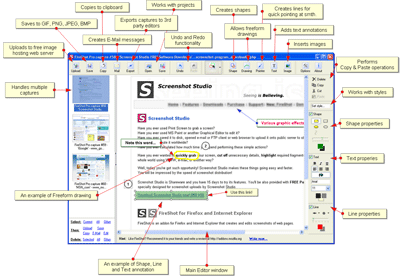
Screen capture and annotation applications

I found two useful web browser extensions for screen shot capture and annotation.
Both browser extensions are work fine with Mozilla Firefox and Google Chrome.


Following are the links,

Easy Screen Shot

Awesome Screenshot

Fireshot

Aviary

Rotate wallpapers using Webilder

Webilder is a wallpaper management tool. Using Webilder you can change wallpaper in specific intervals and it automatically download wallpapers from web.


Installation

Goto Webilder home page and download deb file.
Install using Gdebi Package Installer.

Right-click on the GNOME panel, choose "Add to panel", and select "Webilder Webshots Applet".

Email configuration for Drupal

Email configuration is necessary to recieve feeback from site visitors.
If email is not configure, you will get following message after submitting contact from,

Unable to send e-mail. Contact the site administrator if the problem persists.

Execute the following commands using a terminal to install email configuration in Drupal.


sudo apt-get install php-pear
sudo pear install mail
sudo pear install Net_SMTP
sudo pear install Auth_SASL
sudo pear install mail_mime
sudo apt-get install postfix

gufw: firewall application for Ubuntu

Type the following command in a terminal for gufw installation,
 
sudo apt-get install gufw
 
Using this tool you can restrict the in and out transport via Internet from your desktop. 

How to know Linux Operating system name and version?

Apply the following command in a Terminal

sudo su

lsb_release -a


I got the following message,

Distributor ID:    Ubuntu
Description:    Ubuntu 10.10
Release:    10.10
Codename:    maverick

Installing Microsoft Fonts in Ubuntu

You can install your favorite fonts available in Microsoft Office in Ubuntu.
Popular fonts from MS Office are

  • Andale Mono
  • Arial Black
  • Arial (Bold, Italic, Bold Italic)
  • Comic Sans MS (Bold)
  • Courier New (Bold, Italic, Bold Italic)
  • Georgia (Bold, Italic, Bold Italic)
  • Impact
  • Times New Roman (Bold, Italic, Bold Italic)
  • Trebuchet (Bold, Italic, Bold Italic)
  • Verdana (Bold, Italic, Bold Italic)
  • Webdings

Installation

Open a Terminal from Applications > Accessories

Execute the following commands,

sudo apt-get install msttcorefonts

sudo fc-cache -fv


Startupmanager

Very useful tool controlling your Ubuntu startup behavior.

Installation

apt-get install startupmanager

You can launch Startupmanager from Administration Menu.


Ubuntu 11.04: how to switch from Unity to Gnome

You can easily switch to Gnome from new Unity Desktop.

Select Ubuntu Classic from

System > Administration > Login Screen